Docker Compose Explained: Multi-Container Applications Made Simple
How docker-compose.yml turns a stack of containers into one declarative file — services, networking, volumes, health checks, and the difference between image and build.

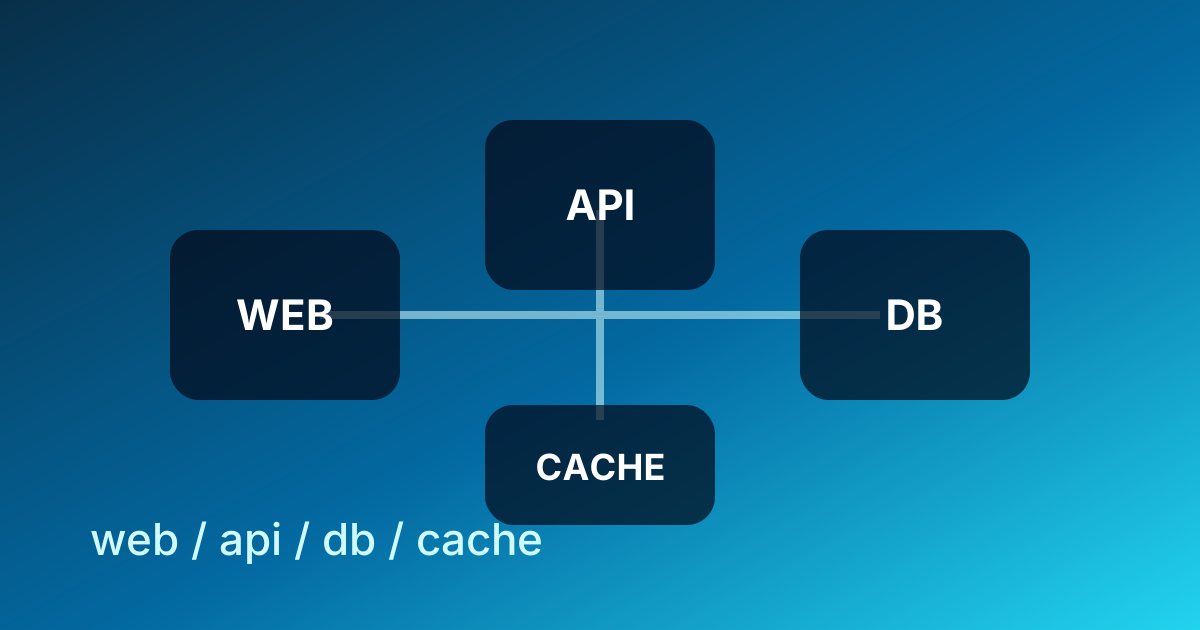
The Transition to Orchestration: Managing Multi-Container Complexity
A real application is rarely a single container. The frontend, the API, the database, and the cache all need to start, talk to each other, and share state. Running them as four separate docker run commands works once — then someone joins the team, or you reboot, or you move to a new laptop, and the orchestration that was in your head needs to be reconstructed from memory. Docker Compose makes that orchestration a file.
In the curriculum I teach at ABCsteps, learners hit this exact wall in Lesson 06: a single Dockerfile is fine for one service, but the moment they add a database, the manual setup gets fragile. Compose is what we reach for next — not because it's required, but because it's the smallest tool that turns "tribal knowledge" into a single committed YAML file.
In a microservices architecture, a single application might require a frontend web server, a backend API, a relational database, and an in-memory cache. Running these as individual containers using standard Docker CLI commands is possible but quickly becomes unmanageable. Developers must manually create networks, define volume mounts, and ensure containers are started in the correct order. This manual approach is error-prone and difficult to replicate across different development machines.
Docker Compose addresses these challenges by providing a declarative way to define and run multi-container applications. It allows you to codify your entire infrastructure in a single configuration file, typically named docker-compose.yml. By treating infrastructure as code, teams ensure that every developer works in an environment that is identical to testing and staging, effectively eliminating the "it works on my machine" class of bugs.
Beyond the Docker CLI: The Case for Declarative Configuration
While the Docker CLI is excellent for managing individual containers, it relies on an imperative approach. To start a simple stack, a developer might need to execute several commands:
# Create a network
docker network create app-network

# Start the database
docker run -d --name db --network app-network -v db-data:/var/lib/postgresql/data postgres:15

# Start the application
docker run -d --name api --network app-network -p 8080:8080 -e DB_URL=db my-api-image:latest
This sequence requires the developer to remember specific flags, naming conventions, and dependency orders. If a second developer needs to join the project, they must receive these instructions exactly, or the application will fail to initialize.
Docker Compose shifts this responsibility from the developer's memory to a configuration file. Instead of telling Docker how to build the environment step-by-step, you describe what the final environment should look like. This declarative model reduces cognitive load and allows for version-controlled infrastructure. When the configuration is stored in Git alongside the source code, the environment evolves in lockstep with the application logic.
Efficiency Gains in Local Development
"Setup friction" — the time it takes for a new engineer to become productive on a project — is one of the costs that compounds quietly in any team. Compose collapses that cost. With a single command, docker compose up, the tool parses the YAML file, pulls the necessary images, builds custom containers, configures networks, and attaches volumes.
This automation is particularly valuable in complex environments where a backend service might depend on specific versions of RabbitMQ, Redis, and Elasticsearch. Manually maintaining these versions across a team without Compose is a significant source of technical debt.
The Anatomy of a docker-compose.yml File
The docker-compose.yml file serves as the blueprint for your application. It uses YAML syntax, which is favored for its readability and widespread adoption in tools like Kubernetes and Ansible. Understanding the hierarchy of this file is essential for effective orchestration.
The Services Definition
The core of any Compose file is the services section. Each service represents a container that will be part of the application.
services:
  web:
    build: .
    ports:
      - "3000:3000"
    depends_on:
      - db
  db:
    image: postgres:15
    volumes:
      - postgres_data:/var/lib/postgresql/data
    environment:
      POSTGRES_PASSWORD: example_password

volumes:
  postgres_data:
In this example, two services are defined: web and db. The web service is built from the local directory, while the db service pulls a pre-existing image from Docker Hub.
Distinguishing Image vs. Build
One of the most frequent points of confusion is when to use the image directive versus the build directive.
- The
imagedirective: This is used for third-party software that you do not intend to modify. Examples include databases (PostgreSQL, MongoDB), caches (Redis), or web servers (Nginx). You specify the image name and a version tag to ensure consistency. - The
builddirective: This is used for your proprietary application code. It tells Docker Compose to look for aDockerfilein a specific path (the "context"). Compose will build a custom image based on your source code before starting the container.
Using a hybrid approach—building your API and frontend while using official images for supporting infrastructure—is the standard practice for modern web development.
Networking and Service Discovery
In a multi-container setup, containers must communicate with each other. Docker Compose automates this by creating a dedicated virtual network for the project. By default, every container defined in the Compose file is joined to this network and can communicate with other containers using their service names as hostnames.
Internal DNS Resolution
Docker Compose includes an internal DNS server that maps service names to container IP addresses. If your backend service needs to connect to the database, you do not need to know the database's internal IP address. You simply use the hostname db (or whatever name you assigned to the service).
This abstraction is crucial because container IP addresses are dynamic. If a container crashes and restarts, it may receive a new IP address. By using service names, the connection remains stable because the DNS record is automatically updated.
Port Mapping vs. Port Exposure
Understanding the difference between mapping and exposing ports is vital for security and architecture:
- Port Mapping (
ports): This maps a port on the host machine to a port in the container. For example,"8080:80"makes the container's web server accessible atlocalhost:8080on your physical computer. This is used for entry points like frontends or APIs. - Port Exposure (
expose): This documents that a container listens on a specific port but does not make it accessible to the host machine. It is only accessible to other containers on the same Docker network. This is a best practice for databases and internal services to prevent unauthorized external access.
Persistence and Data Management
Containers are ephemeral by design. When a container is removed, any data stored within its internal file system is lost. For stateful applications like databases, this is unacceptable. Docker Compose solves this through the use of volumes.
Named Volumes vs. Bind Mounts
Docker Compose supports two primary types of storage mounts, each serving a different purpose:
| Feature | Named Volumes | Bind Mounts |
|---|---|---|
| Management | Fully managed by Docker | Managed by the host OS |
| Pathing | Abstracted (e.g., db_data) | Absolute path (e.g., /home/user/app) |
| Performance | High (optimized for Docker) | Depends on host file system |
| Primary Use | Database persistence, production | Live-code reloading in development |
Named Volumes are the preferred method for persisting data in databases. They are stored in a part of the host file system managed by Docker, ensuring that data survives a docker compose down command.
Bind Mounts are essential for a smooth development workflow. By mounting your local source code directory into the container, you can see changes in real-time without rebuilding the image. For example, saving a file in your IDE can trigger a hot-reload inside the running Node.js or Python container.
The Docker Compose Lifecycle: Essential Commands
Mastering the CLI is the final step in adopting Docker Compose. The tool provides a suite of commands to manage the entire application lifecycle.
Starting and Stopping the Stack
docker compose up: This is the primary command to start your application. It creates the networks, volumes, and containers defined in your YAML file. Adding the-d(detached) flag runs the containers in the background.docker compose down: This stops and removes the containers and networks. It provides a clean slate. By default, it preserves volumes, but you can use the-vflag to remove them as well.docker compose stop: This halts the containers but does not remove them. This is useful if you want to temporarily free up system resources without tearing down the network configuration.
Debugging and Inspection
docker compose logs -f: This aggregates the output from all running containers into a single, color-coded stream. It is the most effective way to debug initialization errors or see runtime exceptions across multiple services.docker compose exec <service_name> <command>: This allows you to run a command inside a running container. A common use case is entering a database shell:docker compose exec db psql -U username.docker compose ps: This provides a snapshot of the current state of your stack, showing which containers are running, their exit codes, and their mapped ports.
Advanced Configuration: Environment Variables and Profiles
As projects grow, you often need to change configurations based on the environment (e.g., local development vs. CI/CD).
The Role of .env Files
Docker Compose automatically looks for a file named .env in the project directory. Variables defined here can be referenced in the docker-compose.yml file using the ${VARIABLE_NAME} syntax. This allows you to keep sensitive information like API keys or database passwords out of your version-controlled YAML files.
# docker-compose.yml
services:
  api:
    image: my-api
    environment:
      - API_KEY=${SECRET_API_KEY}
Managing Startup Order with Health Checks
While the depends_on directive ensures that a database container starts before an application container, it does not guarantee that the database is "ready" to accept connections. Many databases take several seconds to initialize their internal file systems.
To handle this, modern Docker Compose supports health checks. You can define a test command for the database, and configure the application to wait until the database reports a "healthy" status:
services:
  db:
    image: postgres
    healthcheck:
      test: ["CMD-SHELL", "pg_isready -U postgres"]
      interval: 10s
      timeout: 5s
      retries: 5
  app:
    build: .
    depends_on:
      db:
        condition: service_healthy
This ensures a robust startup sequence and prevents application crashes during the initial boot phase.
Scaling and Portability
Although Docker Compose is primarily a development tool, it includes features that bridge the gap to production orchestration.
Service Scaling
The scale command allows you to run multiple instances of a specific service:
docker compose up --scale worker=3
This is highly useful for testing how your application handles load or for verifying that your background workers are correctly pulling tasks from a queue. It encourages a "stateless" architecture, as instances must be able to handle requests without relying on local, non-persistent data—a prerequisite for moving to Kubernetes or Docker Swarm.
The Compose Specification
The influence of Docker Compose has led to the "Compose Specification," an open-source standard for defining multi-container applications. This means that a docker-compose.yml file is no longer tied solely to the Docker Engine. Other platforms, such as AWS ECS and Microsoft Azure Container Instances, can interpret Compose files to deploy applications directly to the cloud. This provides a "write once, run anywhere" experience that simplifies the path from a local laptop to a global deployment.
What to do next
If this is your first time using Compose, do these three things in order:
- Pick a small existing project of yours and write a
docker-compose.ymlfor it. Even if it's just one service today, the file forces you to declare everything explicitly. - Add a database service (Postgres, MySQL, or SQLite over a bind mount). Wire the application to talk to it by service name, not localhost. Test that
docker compose downanddocker compose uppreserves your data. - Add a
healthcheckto the database, and make the applicationdepends_onit withcondition: service_healthy. Reboot a few times and confirm the application stops crashing on cold start.
Once you've done all three, the rest — multiple replicas, profiles, env files — is just looking up syntax. The mental model is already built.
When you're ready for production-grade orchestration with rolling updates, secret management, and multi-host networking, Kubernetes is the next stop. Compose is not Kubernetes; it's the right tool for development, CI, and single-host deployments. Don't reach for cluster orchestration before you've outgrown a single Compose file.
Apply this hands-on · Module B
Docker: Make Local Software Repeatable
Lesson 06 starts with a single Dockerfile and one container. Compose is the next step — wiring multiple containers into one application stack with shared networks and volumes.
Open lesson